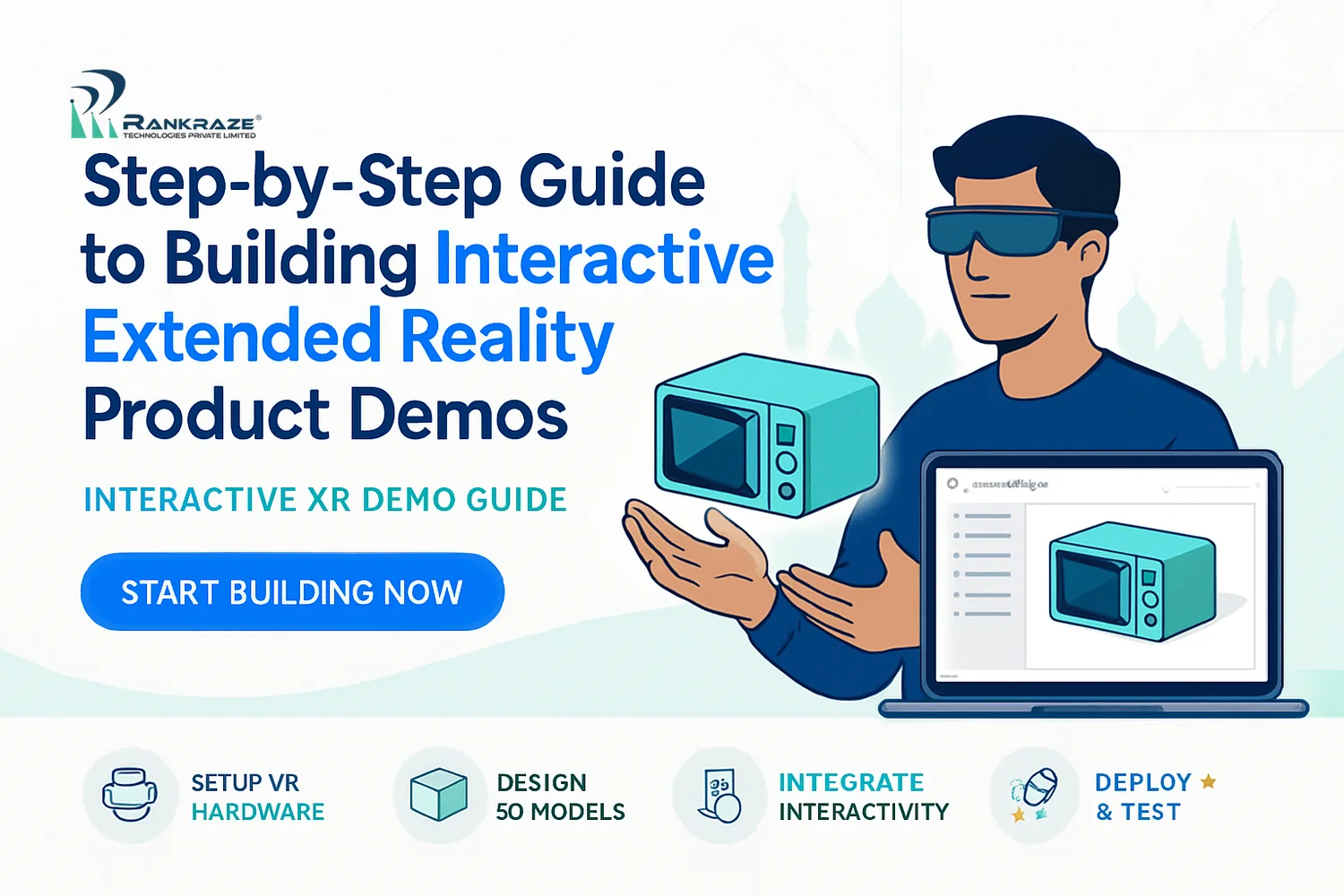
If you’re considering building interactive product demos with extended reality (XR) in India, you’re likely wondering where to start and how to avoid expensive mistakes. Over the last two years, I’ve worked with brands in Chennai, Mumbai, and Bangalore to move beyond static videos and lifeless 3D renders. In this guide, I’ll walk you through the entire process: understanding XR’s range (from Augmented Reality to Virtual and Mixed Reality), weighing technology options, designing demos that genuinely engage buyers, and navigating unique challenges in the Indian market. Each step includes practical examples, specific tools, and strategies I’ve seen work—and some I’ve seen fail.
Introduction: Unlocking the Potential of Extended Reality for Product Demos
Bottom line: Extended Reality (XR) is a collective term for Augmented Reality (AR), Virtual Reality (VR), and Mixed Reality (MR). In India, businesses are already using XR to transform how they showcase products. Instead of just showing a video, XR lets customers explore, interact, and truly experience a product. For digital marketers and sales teams, interactive XR demos aren’t just for show—they boost engagement, build understanding, and drive real conversions.
In this guide, I’ll cover why XR matters for product demos, how to pick your XR strategy, which development tools to trust, and the execution steps to launch your demo. We’ll dig into costs, security, and accessibility, since those are real issues for any Indian business. Whether you’re a manufacturer in Delhi or a SaaS provider in Hyderabad, you’ll leave with a clear, practical action plan.
Overview of Extended Reality and Its Relevance to Product Demos
Here’s what you need to know up front: XR is not just a shiny new buzzword. Understanding the distinctions between AR, VR, and MR is essential to building demos that actually persuade buyers.
Augmented Reality (AR) adds digital elements—like animated how-tos or product specs—onto the real world through a mobile camera. Imagine a furniture retailer in Bangalore letting customers use an app to preview a new sofa right in their living room.
Virtual Reality (VR) offers a fully immersive experience, usually with headsets like Meta Quest. For example, an automotive brand in Chennai can run virtual test drives, letting buyers explore new car models without ever visiting a dealership.
Mixed Reality (MR) bridges the two, allowing 3D objects to anchor in the real world and be manipulated by users. MR is catching on in sectors like industrial equipment and healthcare, where complex products benefit from hands-on virtual demos.
Compared to product videos or images, XR product demos clearly outperform with:
Much higher engagement rates—users interact and explore, not just watch
Better understanding of features, thanks to hands-on exploration
Deeper emotional connection, which can drive faster purchase decisions
Indian brands are already ahead of the curve. Tata Motors has an AR car configurator, while Godrej uses VR for virtual home tours. XR product demos are quickly becoming the standard for brands that want to stand out.
Choosing the Right XR Technology for Your Product
Here’s the heart of it: You don’t need full VR for every product. The right choice—AR, VR, or MR—should fit your product, your target audience, and your marketing goals.
When I guide clients, I focus on these key factors:
Product Complexity: If your product needs 3D exploration—such as machinery or real estate—VR or MR offers advantages. For simple consumer goods, AR is usually enough and reaches more people.
User Accessibility: In India, almost everyone has a smartphone, but VR headsets are rare outside metro cities. AR demos (via mobile apps or web links) will reach a bigger audience than VR, which often needs hardware investment.
Marketing Goals: If you’re aiming for broad awareness, AR is fast to deploy and easy to share. For deeper product education or high-value B2B sales, immersive VR/MR demos can justify the investment.
Budget: AR demos generally cost less to build and distribute. VR/MR projects are more resource-intensive, with extra design, hardware, and ongoing maintenance costs.
My approach: Map your ideal customer journey first. Then consider what devices your audience already owns, how complex your product is, and what you want to achieve. This alignment avoids wasting money on the wrong tech.
Comprehensive Guide to XR Development Tools and Platforms
The main point: Your choice of XR development platform will shape your demo’s quality, development speed, and long-term scalability.
Here’s how the major XR development tools stack up, based on my own hands-on experience.
Platform | Best For | Ease of Use | Key Features | India Support |
|---|---|---|---|---|
AR, VR, MR; cross-device | Moderate (visual editor + scripting) | Large asset store, C# scripting, wide device support | Extensive community, many local devs | |
Unreal Engine | High-fidelity VR/MR | Advanced (visual & code) | Superior graphics, Blueprints (visual scripting), enterprise support | Growing adoption in enterprise |
AR (mobile, tablets) | Beginner-friendly | Image/marker tracking, quick AR prototyping | Popular for mobile AR in India | |
Native AR on iOS/Android | Intermediate (SDK integration) | Device-optimized AR, location-based features | Essential for mobile AR reach |
For fast AR demos, I usually start with Vuforia or ARCore—great tracking, active Indian developer communities, and quick results. For advanced VR or MR, Unity is my tool of choice. Its ability to export to multiple devices (Meta Quest, HTC Vive, mobiles) means you’re not locked into one hardware supplier.
Let’s say you want to prototype an AR furniture demo using Unity and Vuforia. Here’s how I’d do it:
Download and install Unity on your computer.
In the Unity Asset Store, add the Vuforia Engine package.
Start a new Unity project and import your 3D furniture models.
Create a Vuforia Image Target (such as a printed marker or QR code to trigger your AR scene).
Place your 3D model as a child of the Image Target in the project hierarchy.
Build your app and install it on a test mobile device.
At every step, test on the same phones your customers actually use—especially lower-end Android devices common in India. This approach helps catch issues like slow loading or stuttering before you go live.
Designing Engaging and Interactive XR Experiences
The core truth: Even the most technically advanced XR demo won’t convert if it confuses users, looks messy, or is slow to load. User experience (UX) design in XR is both a creative and technical challenge.
When I design XR product demos, here’s my priority list:
Intuitive Navigation: In AR, use clear on-screen prompts or simple gestures like tap, swipe, or rotate. For VR/MR, lead users with visual cues—highlighted objects or glowing pointers. If users don’t get what to do within 10 seconds, you’ve lost them.
Immersive Visuals: Use realistic textures, accurate lighting, and correct scale for authenticity. But keep the interface clean. I’ve seen jewelry brands in Mumbai use high-res models with simple, distraction-free backgrounds to keep attention where it counts.
Feedback and Responsiveness: Every interaction needs feedback—whether it’s a button press, a sound, or a quick animation. This keeps users engaged and tells them the demo is genuinely interactive.
Accessibility: Accessibility in XR means designing for all users. Use straightforward language, offer audio descriptions, support screen readers when possible, and don’t rely only on colors for key information.
I always run prototypes with real users in your target market—often right here in India—to spot confusion or drop-offs early. Testing and refining, based on actual feedback, is the only way to get XR demo UX right.
Implementation Steps: From Concept to Deployment
Here’s what you need to do: Building an interactive XR product demo isn’t a single sprint—it’s a phased project that needs careful planning, cross-team coordination, and iteration.
Ideation & Planning: Define your demo’s purpose (awareness, education, lead generation), narrow your audience, and pick the XR platform (AR, VR, or MR). Map out the user journey and main interactions. Set your budget and deadlines.
Prototyping: Use Unity or Vuforia to build a minimal, testable version. Focus only on the core interaction—does the user “get it” and enjoy the demo?
Development: Expand with all 3D models, textures, UI, and add analytics hooks. Test for compatibility on a variety of devices—especially the popular smartphones or VR headsets in India.
Testing: Run usability tests with end users, not just your team. Fix bugs, address performance issues, and close any accessibility gaps.
Integration: Connect your XR demo with existing systems—like your CRM (Salesforce, Zoho) or analytics platforms (Google Analytics, Mixpanel)—so usage data flows directly to your sales pipeline.
Deployment: Publish the demo on app stores, the web, or distribute via QR codes in physical locations. Prepare user guides and marketing materials to drive adoption.
Iteration: Monitor analytics, gather feedback, and update your demo to improve performance and engagement.
One mistake I see often: Underestimating the time it takes to integrate XR demos with other marketing systems, especially if you have older platforms. Build in extra time for troubleshooting and compliance with user privacy laws.
Case Studies Highlighting Effective XR Product Demos
Let’s look at real examples. Here’s how Indian brands used XR demos to increase sales and improve customer experience:
Case: Prestige Group (Bangalore, Real Estate)
Problem: Selling apartments off-plan was tough—buyers couldn’t visualize layouts from paper brochures.
Solution: Created VR walkthroughs in Unity, viewable on Oculus headsets at sales offices.
Result: Walk-in conversion rates rose by 40% (source: Prestige Constructions).
Case: Titan Eyeplus (Pan-India, Retail)
Problem: High product returns due to poor in-store try-ons.
Solution: Developed an AR app using ARCore that lets shoppers virtually try on frames using their smartphones.
Result: Return rates dropped and more premium frames were sold.
Case: L&T Technology Services (Industrial Equipment)
Problem: Complex B2B sales that required lengthy, technical demos.
Solution: Used Mixed Reality with HoloLens to let buyers interact with digital twins of machinery.
Result: Shorter sales cycles and better buyer understanding of technical products.
What’s consistent across these demos? Every project prioritized user needs, chose the right technical approach, and delivered measurable business results. That’s the goal I keep front and center in every XR project.
Addressing Common Challenges in XR Demo Creation
The reality: Building XR demos isn’t always straightforward. I’ve helped brands across India solve these common issues:
Technical Challenges: Device fragmentation is a big headache—especially with Android. An AR demo might work flawlessly on a Samsung Galaxy S22 but lag on a budget Xiaomi. The fix: Test across multiple devices, optimize your 3D assets, and use adaptive quality settings in Unity or Unreal.
User Adoption: Many users are new to XR. If your onboarding isn’t clear, expect users to drop out. Add simple tutorials, clear instructions, and “safety nets” for confused users.
Budget Constraints: XR projects get expensive fast with custom 3D models or advanced features. Focus your budget on features that move your sales funnel. Use templates or pre-built assets where you can.
Resource Management: You’ll need designers, 3D artists, developers, and marketers working together. Make roles clear and keep everyone coordinated with project management tools like Trello or Jira.
If you’re stuck, go back to your demo’s core objective. Strip away anything that doesn’t directly support your main goal, and focus on delivering a smooth, valuable experience for your primary audience.
Cost Analysis and Budgeting Tips for XR Product Demos
Let’s talk numbers—because “how much will it cost?” comes up in every meeting I have with Indian business owners.
Typical Cost Breakdown for XR Product Demos in India:
Expense Category | AR Demo (₹) | VR/MR Demo (₹) |
|---|---|---|
Concept & Planning | 50,000 – 1,00,000 | 1,00,000 – 2,00,000 |
3D Asset Creation | 1,00,000 – 2,00,000 | 2,00,000 – 5,00,000 |
Development | 2,00,000 – 4,00,000 | 4,00,000 – 8,00,000 |
Testing & Optimization | 50,000 – 1,00,000 | 1,00,000 – 2,00,000 |
Maintenance (annual) | 50,000+ | 1,00,000+ |
Costs depend on project size, quality of 3D assets, and integration needs. For context, a basic retail AR demo can start under ₹5 lakhs, but a feature-rich VR/MR demo can go well beyond ₹10 lakhs.
Cost-Saving Strategies:
Use pre-made 3D assets or templates when possible.
Start with a minimal viable demo (MVP) and add features based on feedback.
Work with experienced XR agencies to avoid beginner mistakes that inflate costs.
Always weigh the expected ROI—things like better conversion rates, fewer returns, or higher engagement—against your XR demo investment. If the benefits clearly outweigh the spend, it’s worth moving ahead.
Security and Privacy Considerations in Extended Reality Applications
Security isn’t optional. A data breach or privacy slip in your XR demo can damage your brand and erode trust with buyers.
Key Risks: XR demos often need access to user data—camera feeds, gestures, or analytics. If this data isn’t encrypted or is stored carelessly, it’s vulnerable to theft. Poorly secured apps can also become targets for malware.
How I Secure XR Demos:
Encrypt all user data, both during transmission and when stored, using industry-standard protocols.
Collect only the data you actually need for the demo to work.
Set up role-based access for admin dashboards—no single login for everything.
Keep your XR development tools updated and patched.
Follow India’s IT Act and data protection laws; always have a clear privacy policy for users.
Before any public launch, I run security tests—using OWASP ZAP—to find weaknesses, and I make sure user consent is explicit and easy to understand.
Measuring Success: Analytics and Feedback Mechanisms for XR Demos
You can’t improve what you don’t measure. The strongest XR demos use analytics for ongoing improvement.
Key Performance Indicators (KPIs) for XR Demos:
Engagement Rate: How often users interact with main demo features.
Session Duration: How long users stay engaged with the demo.
Conversion Rate: The percentage of demo users who take the intended action, like signing up or buying.
Drop-off Points: Where users leave the demo—vital for refining UX.
To track these, I integrate Google Analytics for web-based AR, or Unity Analytics/Mixpanel for app-based XR. Here’s my approach:
Open Google Analytics and select “Events.”
Create custom events for key demo actions—like “3D Model Rotated,” “AR Product Placed,” or “Demo Completed.”
Review event counts by device, city, and user demographics to spot usage patterns.
Identify high-exit screens and brainstorm UX fixes for the next version.
I also recommend adding in-demo feedback prompts. After users finish the demo, ask a quick “Was this helpful?” question, plus an open comment box. The best insights often come from real users, not analytics dashboards.
Future Outlook: Innovations in XR for Product Marketing in India
XR is just getting started. If you want to stay ahead, here’s where the space is headed:
AI-Powered Personalization: XR demos that adapt content based on user choices or past behavior. Think of AI-guided tours that focus on the features users care about most.
5G-Enabled XR: With ultra-fast connections rolling out in metros like Mumbai and Delhi, lower-latency means richer, more responsive demos are now possible on mobile.
Cloud-Based XR: High-fidelity XR streamed from the cloud will make interactive demos available even on entry-level devices.
Indian businesses building XR demos now will be best placed to take advantage of these coming trends.
What is Extended Reality and how is it used in product demos?
Extended Reality (XR) includes AR, VR, and MR—technologies that create interactive digital experiences. In product demos, XR lets users visualize, try, and interact with products virtually, improving both engagement and understanding.
Which XR development tools are best suited for building interactive demos?
Unity and Unreal Engine are reliable for robust XR demos. For mobile AR, Vuforia, ARCore, and ARKit offer fast prototyping and strong support.
How can businesses integrate XR demos with existing marketing platforms?
Use APIs to connect XR apps with CRMs like Salesforce or Zoho, and set up tracking with Google Analytics or Mixpanel to sync engagement data to your marketing dashboards.
What are the key UX design considerations for XR product demos?
Focus on clear navigation, quick feedback, uncluttered visuals, and accessibility for all users—including those with disabilities.
How much does it cost to develop an XR product demo?
Basic AR demos start around ₹5 lakhs. Advanced VR/MR demos can go above ₹15 lakhs, depending on features, asset quality, and integrations.
What security and privacy issues should be considered in XR applications?
Encrypt all user data, minimize what's collected, and comply with Indian data protection laws. Always provide a transparent privacy policy.
Are XR product demos accessible to all users, including those with disabilities?
With careful design—audio support, simple instructions, screen reader compatibility—XR demos can be accessible. Always test with real users of varying abilities.
What future trends in XR should marketers be aware of?
Watch for AI-driven content personalization, 5G-enabled real-time demos, and cloud-streamed XR experiences. Early Indian adopters will get a lead.
Conclusion: Empowering Indian Businesses with XR-Driven Interactive Product Demos
Building interactive product demos with extended reality isn’t just another tech fad—it’s a practical way to engage, educate, and convert buyers in India. When you pair the right XR technology with your product and audience, design for real users, and measure every outcome, the business impact is clear.
If you’re serious about standing out—whether you’re in Bangalore, Mumbai, or anywhere in India—now is the right time to bring XR into your demo strategy. If you want a partner who’s built these demos for Indian clients and knows the pitfalls, reach out to Rankraze. Let’s craft XR demos your customers remember—and your competitors wish they had.
Related Articles
Questions we getasked the most
Clear answers to help you understand this topic and make confident, informed decisions.
Extended Reality (XR) is an umbrella term that includes Augmented Reality (AR), Virtual Reality (VR), and Mixed Reality (MR). In product demos, XR allows customers to interact with and experience products in immersive ways—such as overlaying digital information onto real-world views (AR), fully immersing users in virtual environments (VR), or blending real and virtual objects for manipulation (MR). This interactive approach enhances engagement, understanding, and ultimately conversion rates compared to traditional videos or images.
Choosing the right XR development tools depends on your demo's complexity and target platform. Popular platforms include Unity and Unreal Engine for creating rich 3D experiences across AR, VR, and MR. ARKit and ARCore are preferred for mobile AR apps, while tools like Microsoft’s MRTK facilitate mixed reality development. A thorough comparison of features, ease of use, platform support, and cost should guide your selection to align with your business needs.
Businesses can integrate XR demos by embedding AR experiences into mobile apps or websites, linking VR demos via QR codes or social media, and syncing XR data with CRM and analytics tools to track user engagement. Seamless integration ensures XR demos complement digital marketing campaigns, enhance sales outreach, and provide actionable insights for continuous optimization.
Effective XR product demos should prioritize intuitive navigation, realistic interactions, and clear visual cues to guide users. Designers must ensure the experience is comfortable, avoiding motion sickness in VR and minimizing cognitive overload. Accessibility features, such as adjustable text sizes and alternative input methods, are essential to make demos usable for all customers, including those with disabilities.
The cost of developing an XR product demo varies based on complexity, platform, and features. Basic AR demos might start from a few thousand dollars, while fully immersive VR or MR experiences with custom 3D assets and interactivity can reach tens of thousands or more. Indian businesses should consider budgeting for development, testing, deployment, and ongoing maintenance to ensure a successful XR marketing initiative.
XR applications often collect sensitive user data, including location, biometrics, and interaction patterns. Businesses must implement robust data encryption, secure authentication, and comply with local data protection regulations. Additionally, safeguarding against unauthorized access and ensuring secure content delivery are critical to maintaining user trust and protecting intellectual property.
Accessibility in XR is an emerging focus area. To ensure demos are inclusive, designers should incorporate features like voice commands, adjustable controls, subtitles, and haptic feedback. Considering diverse user needs during development helps make XR demos usable by people with visual, auditory, or motor impairments, expanding reach and compliance with accessibility standards.
Future trends include increased adoption of 5G enabling smoother XR experiences, AI-powered personalization within demos, greater emphasis on social and collaborative XR environments, and advances in wearable XR devices. Marketers should also watch for improved analytics integration and evolving standards around privacy and accessibility that will shape how XR is used in product marketing.
Still have questions? Let's talk.
Get a free consultation and a personalised strategy — no obligation.
.png&w=828&q=75)